
Navisworks: 3D model review, coordination, and clash detection
Connect design and construction teams and streamline clash detection and coordination in BIM.
Overview
What is Navisworks?
Use Navisworks® review and coordination software to improve BIM (Building Information Modeling) project delivery.
- Visualize and unify design and construction data within a single federated model.
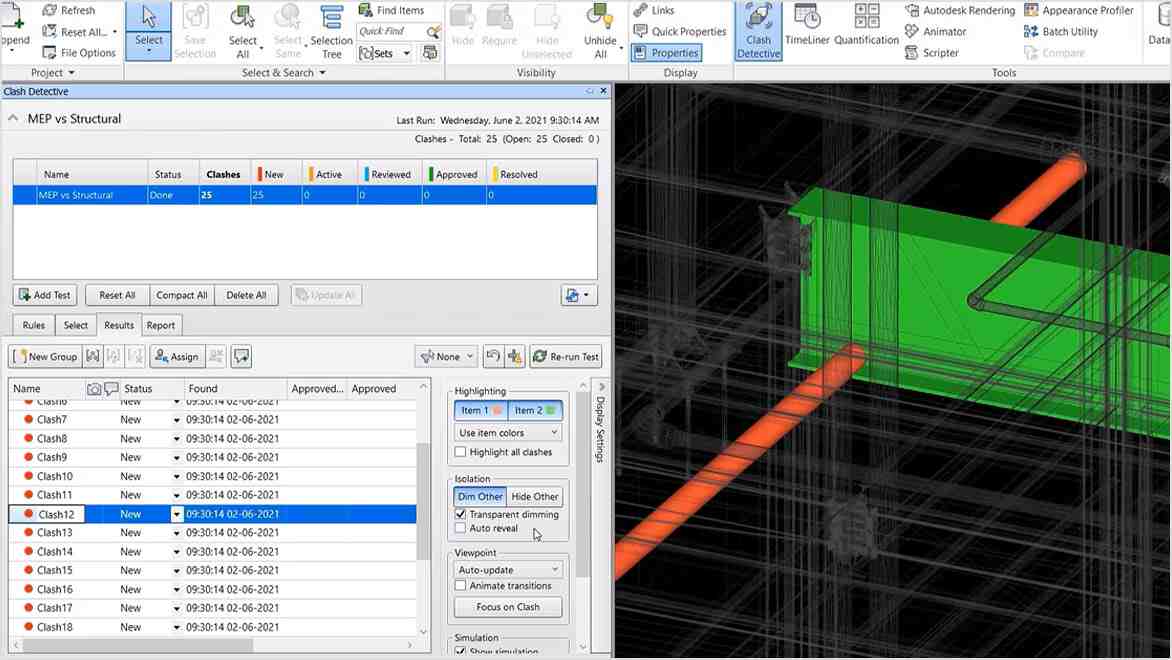
- Identify and resolve clash and interference problems before construction begins, saving time onsite and in rework.
- Keep project teams collaborating and connected with Navisworks issues integration in the Autodesk Construction Cloud.
What you can do with Navisworks
Control schedules and costs using 4D and 5D simulation
Animate and interact with model objects for simulation, create schedules directly from project models, and import schedules and cost items from external project management applications.
https://videos.autodesk.com/zencoder/content/dam/autodesk/www/products/autodesk-navisworks-family/fy22/overview/videos/control-schedules-costs-4d-5d-simulation-v2-video-1920×1080.mp4https://videos.autodesk.com/zencoder/content/dam/autodesk/www/products/navisworks/fy23/overview/videos/capture-material-quantities-2d-3d-designs-video-1920×1080.mp4
What you can do with Navisworks
Easily capture material quantities from 2D or 3D designs
Measure lines, areas, and counts from 2D sheets or 3D models, create synchronized project views from Revit and AutoCAD files, and export takeoff data to Excel for analysis.
What you can do with Navisworks
Run seamless projects with Autodesk project delivery tools
Connect field and studio teams with compatible BIM tools. Detect, manage, and resolve constructability challenges with Navisworks, Revit, and the Autodesk Construction Cloud. Navisworks, Revit, and more are available together in the Architecture, Engineering & Construction Collection.
https://videos.autodesk.com/zencoder/content/dam/autodesk/www/products/navisworks/fy23/overview/videos/run-seamless-projects-autodesk-project-delivery-tools-video-1920×1080.mp4
10
+
PROJECTS COMPLETED
1
+
Local Clients
1
+
INTERNATIONAL CLIENTS
100
+
UPWORK HOURS SPEND
Client Testimonials
Check What They’re Talking About
It’s important to not just have a solid plan, but also to validate progress against it.

Paddy Ryan
Program BIM Lead, Mace
Using the openness of Autodesk software, the team implemented a BIM-based quality control workflow.

RenWei Wan
BIM Manager, China Construction First Group